

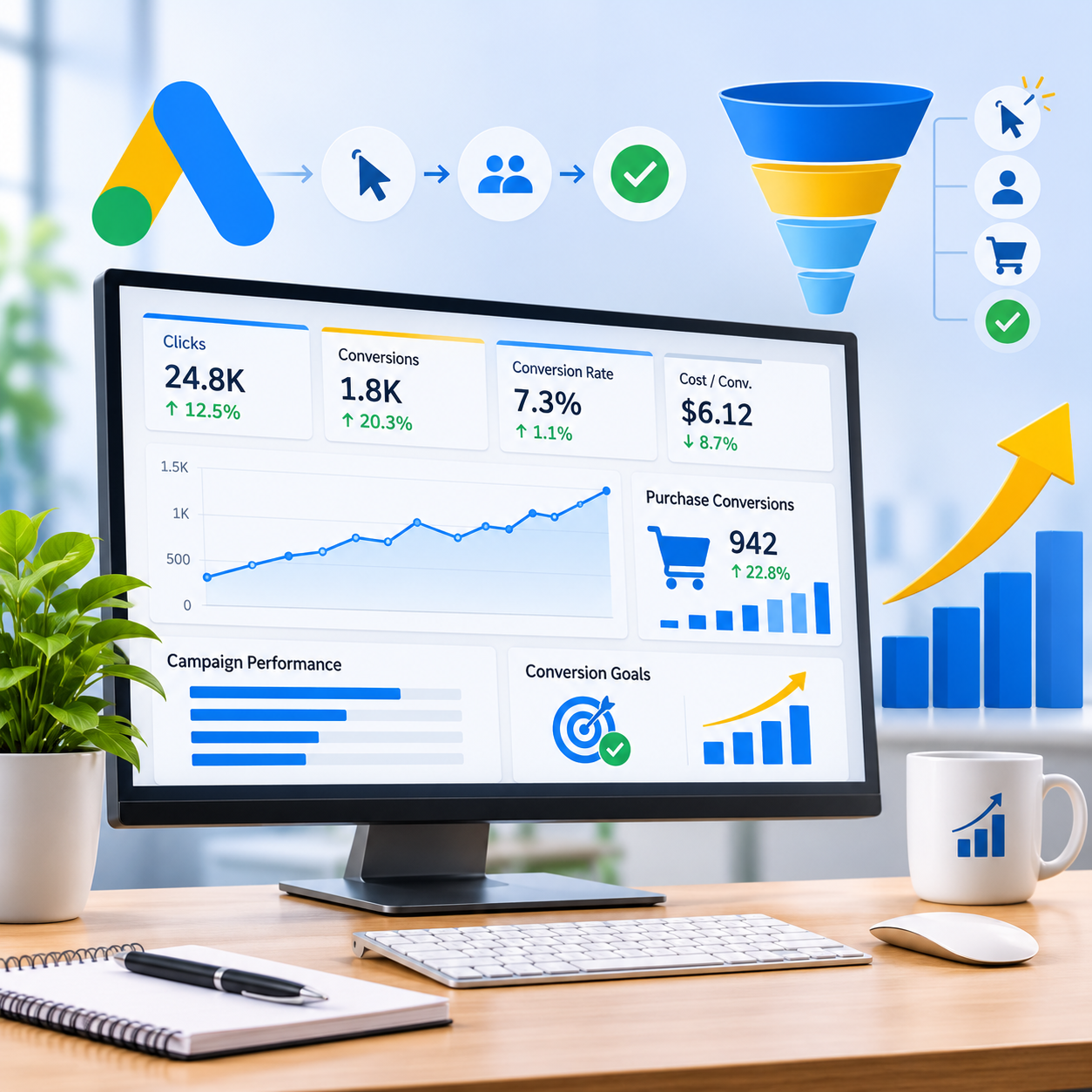




Running Google Ads can help businesses reach potential customers who are actively searching for their products or services. But how do you know whether those advertisements are actually generating business?
Clicks and impressions show how people interact with your ads, but they don’t necessarily tell you whether someone contacted your business, submitted an enquiry or made a purchase. This is where Google Ads Conversion Tracking becomes important.
Conversion tracking helps businesses measure valuable customer actions after someone interacts with an advertisement. It provides insights into campaign performance, identifies which advertising efforts are delivering results and helps businesses make more informed marketing decisions.
In this beginner’s guide, we’ll explain what conversion tracking is, how to set it up in Google Ads, which conversions businesses should measure and how accurate tracking can improve advertising performance.
What Is Conversion Tracking in Google Ads?
Google Ads Conversion Tracking is a measurement feature that records valuable actions people take after interacting with your advertisements.
A conversion happens when a visitor completes an action that your business considers valuable.
For example, imagine you run a digital marketing agency and advertise your services through Google Search Ads. Someone searches for a digital marketing agency, clicks your advertisement, visits your website and submits an enquiry form.
That form submission is a conversion because it represents a potential business opportunity.
Depending on your business objectives, conversions can include:
- Form submissions: When someone completes an enquiry or contact form.
- Phone calls: When a potential customer calls your business through an advertisement or website.
- Purchases: When a customer completes an online transaction.
- Appointment bookings: When someone schedules a consultation or service.
- Sign-ups: When a visitor registers for a service, newsletter or account.
- Qualified leads: When an enquiry meets your business requirements and becomes a genuine sales opportunity.
The purpose of conversion tracking is to understand what happens after an advertisement receives a click, rather than measuring advertising activity alone.
Why Is Google Ads Conversion Tracking Important?
Without conversion tracking, businesses may know how many people clicked their advertisements but have limited visibility into how those clicks contribute to actual business results.
For example, a campaign might receive 1,000 clicks, but if you don’t know how many visitors submitted enquiries or purchased your products, evaluating its effectiveness becomes difficult.
Here is why conversion tracking matters:
1. Understand Which Campaigns Generate Results
Not every advertising campaign performs equally. Conversion tracking helps identify which campaigns, ad groups and keywords are generating valuable customer actions.
This allows businesses to understand where their advertising budget is producing meaningful outcomes.
2. Measure Your Cost Per Conversion
Knowing how much you spend to generate an enquiry or sale is essential for evaluating advertising efficiency.
For example, if a campaign spends ₹10,000 and generates 20 enquiries, its cost per lead is ₹500.
This information helps businesses assess whether their advertising expenditure is reasonable compared with the value of the leads generated.
3. Identify Opportunities for Campaign Improvement
Conversion data can reveal which keywords, advertisements and landing pages are performing well.
Businesses can use these insights to refine audience targeting, adjust budgets, improve ad messaging and make better campaign decisions.
4. Make Data-Driven Advertising Decisions
Instead of relying on assumptions, businesses can evaluate campaigns using measurable information.
Conversion tracking also provides useful data for Google Ads automated bidding strategies, helping Google’s systems optimise towards the conversion goals selected by the advertiser.
5. Understand the Customer Journey
A customer rarely makes a purchase immediately after seeing an advertisement.
They may visit your website, explore different services, compare options and return later to contact your business.
Tracking important actions provides better visibility into this journey and helps businesses understand how advertising contributes to customer acquisition.
What Do You Need Before Setting Up Conversion Tracking?
Before creating conversion actions in Google Ads, make sure you have the following:
- An active Google Ads account: You need access to the account where your advertising campaigns are managed.
- A functioning website: Your website should have the relevant pages, enquiry forms, booking options or purchase functionality.
- A Google tag or Google Tag Manager: These tools help connect your website activity with Google Ads conversion measurement.
- Clearly defined conversion goals: Decide which actions represent genuine business value, such as a submitted enquiry, completed purchase or qualified phone call.
- Website access: You may need access to your website’s code or tag management system to complete the implementation.
Having these elements ready makes the setup process easier and helps avoid common tracking problems.
How to Set Up Conversion Tracking in Google Ads
Google Ads provides different methods for measuring website conversions. The appropriate method depends on the type of action you want to track and how your website is configured.
Follow these steps to get started.
Step 1: Sign In to Your Google Ads Account
Visit Google Ads and sign in using the account associated with your advertising campaigns.
Once inside the dashboard, navigate to the Goals section and open Conversions.
Select the Summary section to access your conversion actions and measurement settings.
Step 2: Create a New Conversion Action
Click the + Create conversion action option.
Google Ads will guide you through selecting the source of the conversion.
For a website-based conversion, choose the website option and enter your website domain when prompted.
Google Ads can scan your website to identify available measurement sources, such as an existing Google tag or a linked Google Analytics property.
Step 3: Choose What You Want to Track
Select the action that represents a valuable outcome for your business.
For example:
- An enquiry form submission.
- A completed purchase.
- A phone call.
- An appointment booking.
- A registration or sign-up.
Choose a conversion category that best represents the action.
Give your conversion action a clear name, such as:
- Contact Form Submission
- Website Purchase
- Consultation Booking
- Phone Call Lead
Clear naming makes it easier to understand your reports, particularly when multiple conversion actions are being tracked.
Step 4: Select a Tracking Method
Google Ads offers different ways to configure website conversion tracking.
Method 1: Conversion Tracking Using a URL
This is suitable when a successful action redirects the visitor to a unique confirmation or thank-you page.
For example, after submitting an enquiry form, a visitor may land on:
yourwebsite.com/thank-you
Google Ads can use this page visit as the conversion trigger.
You can configure the URL matching condition, such as an exact URL or a URL containing a particular phrase.
This approach is relatively simple, provided that the confirmation page only appears after a successful conversion.
Method 2: Conversion Tracking Using Code
This method is useful when you need to track specific actions, such as button clicks, form submissions without a confirmation page, or transactions with individual values.
Google Ads provides the necessary event snippet and implementation instructions.
The tracking code can be added directly to your website or implemented through Google Tag Manager.
Method 3: Google Analytics Integration
If your website already uses Google Analytics 4 (GA4), you can use eligible events marked as key events to create or import conversion actions into Google Ads.
For example, a purchase event or successful lead submission recorded in GA4 can be used for advertising measurement.
Make sure your Google Analytics property is correctly linked to Google Ads before importing events.
The right method depends on your website structure, existing tags and conversion requirements.
Step 5: Configure Conversion Settings
Once you select your tracking method, review the conversion settings carefully.
Some important settings include:
Conversion Name: Choose a descriptive name that identifies the action being measured.
Value: Assign a monetary value if the conversion has measurable business value. For example, an e-commerce purchase can use its actual transaction value. For leads, you may use an estimated value if it is supported by your business data.
Count: Choose whether to count every conversion or one conversion per ad interaction. For example, counting every purchase may be appropriate for an online store, while counting one lead per ad interaction may be more suitable for lead generation.
Action Optimisation: Decide whether the conversion should be a Primary action used for bidding and the main Conversions reporting column, or a Secondary action used primarily for observation.
Attribution: Select an appropriate attribution model to understand how credit is assigned to advertising interactions.
These settings influence how Google Ads measures and reports your campaign performance.
Step 6: Install the Google Tag
A Google tag helps measure website activity and connect relevant actions with your Google Ads account.
If you don’t already have a Google tag installed, Google Ads will provide instructions for setting one up.
You can install it directly on your website or use Google Tag Manager to manage your tracking tags.
If you are using Google Tag Manager:
- Open your Google Tag Manager account.
- Select the appropriate website container.
- Create a Google Ads Conversion Tracking tag.
- Enter the Conversion ID and Conversion Label provided by Google Ads.
- Configure the appropriate trigger for the action you want to measure.
- Test the implementation before publishing the changes.
For example, a form submission trigger should fire only when the form is successfully submitted, not simply when someone clicks the submit button.
Important: Incorrect tag placement or triggers can result in missing or duplicate conversion data. If you are unfamiliar with website tracking, involve a developer or experienced tracking specialist.
Step 7: Test and Verify Your Conversion Tracking
Installing a tracking tag does not automatically mean that everything is working correctly.
Testing is an essential part of the setup process.
Here are a few things to check:
- Open your website and complete a test enquiry or purchase.
- Check whether the correct conversion tag fires.
- Confirm that the conversion event is recorded only once.
- Use Google Tag Assistant to inspect your tag implementation.
- Review the conversion action status in Google Ads.
You can also navigate to Goals → Conversions → Summary and check the status of your conversion actions.
Depending on the implementation and reporting process, conversion data may not appear immediately. Allow time for processing and check the diagnostics if the expected activity is missing.
Google Ads Conversion Tracking Example: How It Works
Let’s understand conversion tracking through a simple business example.
Imagine an online furniture store running Google Search Ads to promote its products.
A potential customer searches for a sofa, clicks the advertisement and visits the website. After exploring the available products, the customer adds a sofa to the cart and completes the purchase.
With correctly configured conversion tracking, Google Ads can record the purchase and its associated value.
Consider the following example:
| Campaign Metric | Result |
| Advertising Spend | ₹20,000 |
| Ad Clicks | 1,000 |
| Website Purchases | 40 |
| Revenue Generated | ₹80,000 |
| Cost Per Conversion | ₹500 |
| Return on Ad Spend (ROAS) | 4x |
In this example:
Conversion Rate
Conversion Rate = (Conversions ÷ Ad Clicks) × 100
= (40 ÷ 1,000) × 100
= 4%
Cost Per Conversion
Cost Per Conversion = Advertising Spend ÷ Conversions
= ₹20,000 ÷ 40
= ₹500
Return on Ad Spend (ROAS)
ROAS = Conversion Value ÷ Advertising Spend
= ₹80,000 ÷ ₹20,000
= 4x
This means the campaign generated ₹4 in tracked revenue for every ₹1 spent on advertising.
These figures are illustrative. Actual campaign performance depends on factors such as product pricing, competition, customer behaviour and advertising costs.
The important point is that conversion tracking helps businesses evaluate advertising based on measurable outcomes rather than clicks alone.
Common Google Ads Conversion Tracking Mistakes to Avoid
Even when conversion tracking is installed, incorrect configurations can affect the accuracy of campaign reports.
Here are some common mistakes businesses should avoid.
1. Tracking Button Clicks Instead of Successful Actions
A visitor clicking a submit button does not necessarily mean the form was successfully submitted.
The conversion should ideally trigger only after the intended action has been completed.
2. Counting the Same Conversion Multiple Times
Duplicate tags or incorrect triggers can record the same action more than once.
This can make campaign performance appear better than it actually is.
3. Tracking Every Website Visit as a Conversion
A page view is not automatically a valuable business outcome.
Businesses should prioritise meaningful actions such as enquiries, purchases and qualified leads instead of treating every website interaction as a primary conversion.
4. Ignoring Phone Call Conversions
For businesses that depend on customer enquiries over the phone, tracking calls can be just as important as tracking website forms.
Google Ads provides call measurement options for eligible advertising and website setups.
5. Not Reviewing Conversion Data Regularly
Setting up tracking is only the beginning.
Businesses should regularly review conversion volume, cost per conversion, conversion rates and lead quality to identify opportunities for improvement.
6. Ignoring Duplicate Tracking Between Platforms
If the same action is measured through Google Ads and imported from GA4, review how the conversion actions are configured and counted.
Avoid including duplicate versions of the same event as separate primary bidding goals, as this can distort reporting and optimisation.
How Conversion Tracking Helps Improve Google Ads Campaign Performance
Conversion tracking becomes particularly valuable when businesses use the collected data to improve their advertising strategy.
For example, suppose a business receives enquiries from several advertising campaigns.
One campaign generates a high number of enquiries, while another generates fewer but more relevant potential customers.
Without proper measurement, the business may assume that the campaign generating the most enquiries is automatically the best performer.
However, by evaluating conversion data alongside lead quality and actual sales, businesses can make more informed decisions.
A well-managed advertising strategy can use conversion insights to:
- Identify keywords that generate valuable enquiries.
- Improve advertisements that attract relevant customers.
- Adjust budgets according to campaign performance.
- Improve landing pages to encourage more conversions.
- Identify audiences that are more likely to take action.
- Evaluate cost per lead and cost per acquisition.
- Connect advertising activity with actual business outcomes.
This is why conversion tracking should be considered an essential part of a broader Performance Marketing Strategy rather than just a technical setup task.
How Kamal Media Helps Businesses Measure Google Ads Performance
Launching an advertisement is only one part of successful digital advertising. Understanding what happens after someone clicks it is equally important.
At Kamal Media, we focus on building performance-driven advertising strategies that connect campaign activity with meaningful business goals.
Our Performance Marketing Services include Google and Meta Ads management, campaign setup, audience targeting, daily budget monitoring, lead tracking and transparent performance reporting.
We help businesses understand important advertising metrics, including:
- Leads and enquiries generated.
- Calls received through advertising.
- Campaign expenditure.
- Cost per lead.
- Conversion performance.
- Opportunities for campaign optimisation.
We also recognise that accurate measurement depends on more than advertising alone. Website functionality, landing page experience, conversion tracking and lead handling all influence the results.
That is why our approach connects advertising with the wider digital experience. From professionally designed websites to targeted advertising campaigns, we help businesses build a stronger foundation for online growth.
Whether you are a local business looking to generate enquiries or an established company aiming to improve advertising efficiency, the right tracking and optimisation strategy can make your marketing investment more measurable.
Frequently Asked Questions
1. What is conversion tracking in Google Ads?
Google Ads conversion tracking is a measurement feature that records valuable actions users complete after interacting with your advertisements, such as purchases, form submissions, calls and bookings.
2. Is Google Ads conversion tracking free?
Yes. Google Ads provides conversion tracking without an additional tracking fee. However, website development, technical implementation and professional campaign management may involve separate costs.
3. Can I track form submissions in Google Ads?
Yes. You can track successful form submissions using a thank-you page URL, a Google Ads event tag or Google Tag Manager, depending on how your website is configured.
4. What is the difference between clicks and conversions?
A click occurs when someone interacts with your advertisement, whereas a conversion occurs when that person completes a valuable action defined by your business.
5. Do I need Google Tag Manager for conversion tracking?
No. Google Tag Manager is not compulsory. You can implement conversion tracking directly using the Google tag or use eligible Google Analytics events. However, Google Tag Manager can make managing multiple tracking tags easier.
6. How long does Google Ads conversion tracking take to show results?
The time required depends on the tracking method, implementation and reporting process. Some conversion activity may appear after processing, while other reporting metrics can take longer to update.
7. Can Google Ads track phone calls?
Yes. Google Ads offers call conversion measurement for eligible call assets, call-focused advertisements and website call tracking configurations.
8. What is a good conversion rate for Google Ads?
There is no universal conversion rate that works for every business. It varies according to industry, competition, audience intent, offer, landing page experience and conversion type.
9. What happens if Google Ads conversion tracking is not working?
Incorrect tag installation, broken triggers, duplicate events, consent settings and website changes can affect tracking. Reviewing Google Tag Assistant, conversion diagnostics and tag implementation can help identify the problem.
10. Can conversion tracking help reduce Google Ads costs?
Conversion tracking does not automatically reduce advertising costs. However, accurate conversion data helps businesses identify inefficient campaigns, understand cost per conversion and make informed optimisation decisions that can improve advertising efficiency.
Make Your Google Ads Investment More Measurable
Successful advertising is not simply about reaching more people or generating more clicks. It is about understanding which activities contribute to meaningful business results.
With properly configured Google Ads conversion tracking, businesses can gain better visibility into enquiries, purchases, calls and other important customer actions. These insights make it easier to evaluate campaigns, identify improvement opportunities and build a more effective advertising strategy.
At Kamal Media, we help businesses move beyond guesswork with performance-focused digital advertising, lead tracking and campaign optimisation.
Ready to make your advertising more measurable?
Explore our Performance Marketing Services or contact Kamal Media to discuss a digital advertising strategy aligned with your business goals.